Shopify Schema Markup Features
Every feature in Schema Clinic is built around one job — audit your Shopify store's structured data, surface the issues Google penalises, and fix them. Here's how each part of the app does it.
Schema Detection
Schema Clinic scans your live store pages — the actual rendered HTML that Googlebot sees. It detects every JSON-LD block from your theme, installed apps, and any manual additions. No guessing from template files, no assumptions about what might render.
The scanner uses two detection methods: direct HTTP fetch of your public pages, and a client-side JavaScript scanner that processes schema in the browser context. This catches schema injected dynamically by apps and scripts that wouldn't appear in a simple HTML fetch.
Validation Engine
Every detected schema block is validated against Google's official structured data documentation. Schema Clinic checks 10 schema types relevant to Shopify stores:
- Required types: Organization, WebSite, Product — essential for brand identity and rich results
- Recommended types: BreadcrumbList, Article — supported by Google, improves search appearance
- Optional types: CollectionPage, ItemList, Blog, WebPage, FAQPage — supplementary, not flagged if missing
Validation checks required fields, recommended fields, value formats, and cross-block conflicts. Every issue is classified as Error, Warning, Recommendation, or Info based on its actual impact on Google's ability to use your data.
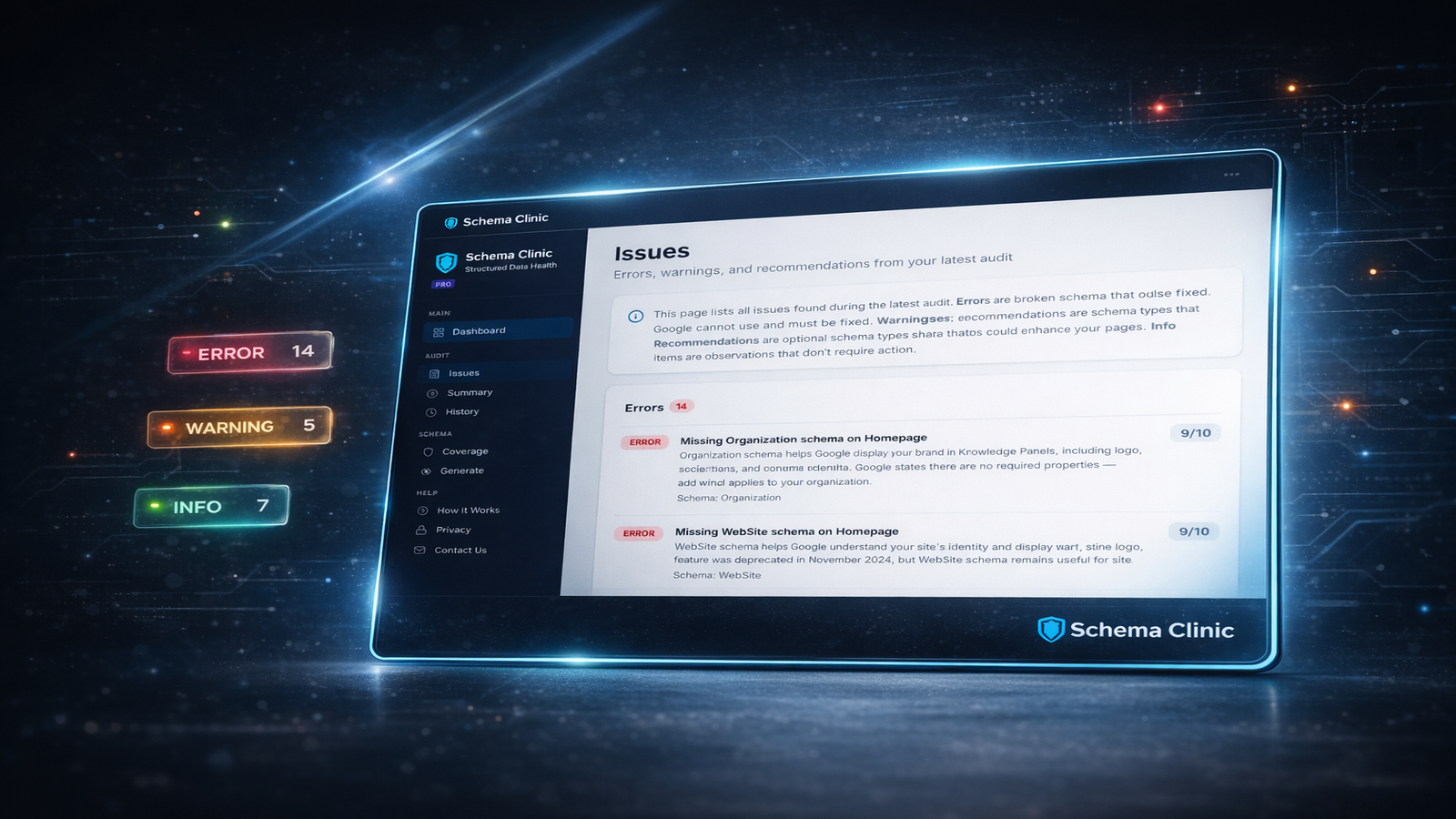
Schema Health Score
Your store receives a 0-100 health score based on a transparent formula. The score starts at 100 and deducts points for:
- Essential type penalties — missing Organization, WebSite, or Product schema incurs significant deductions
- Error deductions — broken schema that Google can't use
- Warning deductions — duplicates and conflicts that reduce effectiveness
The full scoring breakdown is visible in the dashboard — no black box.

Duplicate & Conflict Detection
Multiple sources injecting the same schema type is one of the most common problems on Shopify stores. Schema Clinic identifies when your theme and an app both inject Product schema, or when two apps conflict on Organization data. Conflicts are flagged as warnings with clear source attribution.
Schema Generation (Pro)
Pro users can generate clean JSON-LD for all major schema types. Generated schema includes:
- Organization — name, logo, URL, social profiles, contact info, founding date
- WebSite — name, URL, search action, alternate names, language
- Product — full product data from your Shopify catalogue with offers, availability, reviews
- Article — blog post schema with author, dates, images, publisher
- BreadcrumbList — dynamic navigation breadcrumbs for every page type
- CollectionPage — collection metadata with item lists
All generated schema uses @id entity reconciliation — your Organization, WebSite, Products, and pages are linked together through @id references, giving Google a connected knowledge graph instead of isolated data blocks.
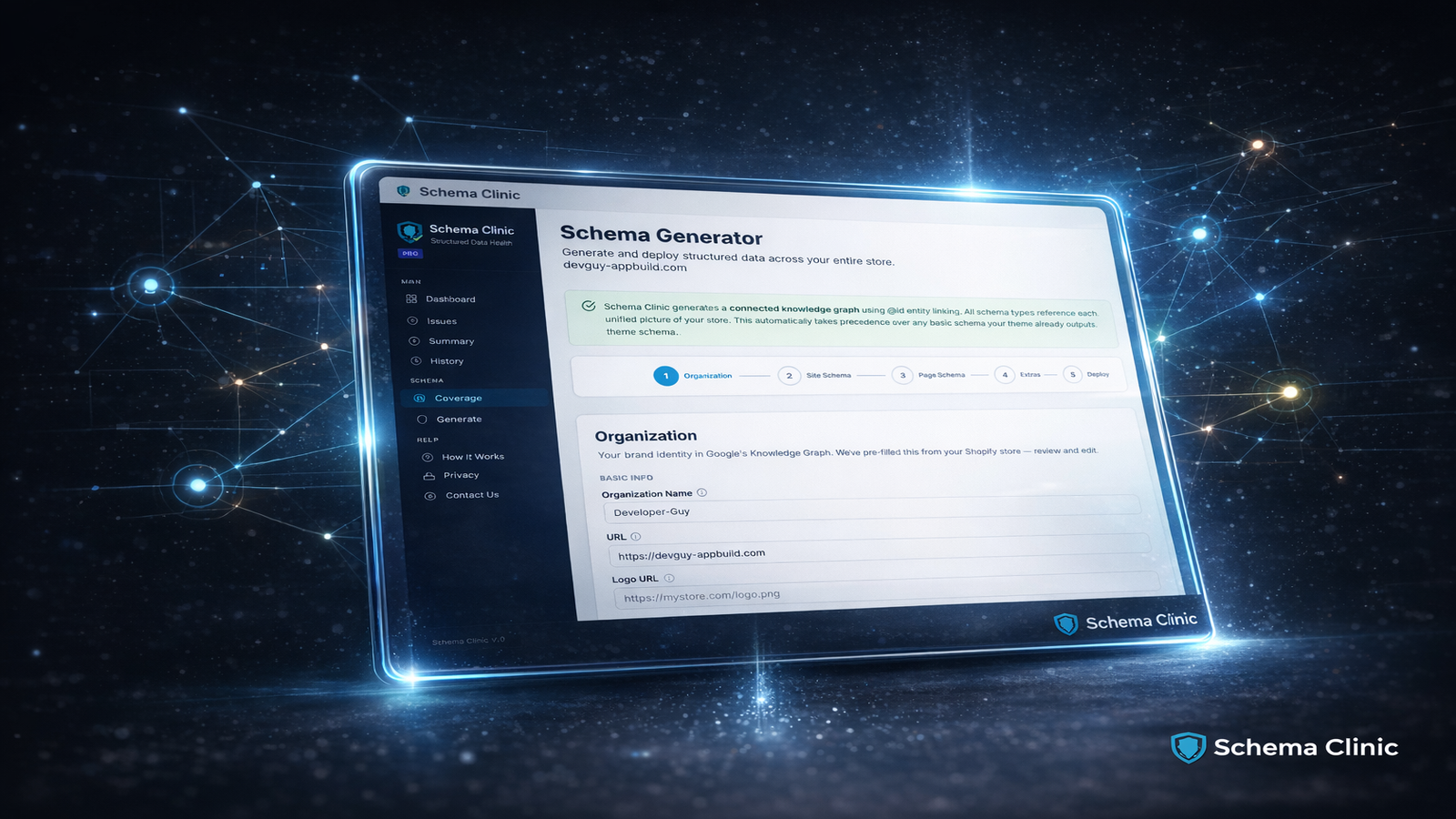
One-Click Deploy (Pro)
Generated schema is deployed to your storefront via a Theme App Extension (App Embed Block). No theme file editing, no Liquid code changes. Enable it in your theme editor, and Schema Clinic injects the schema server-side. Disable it any time to revert.
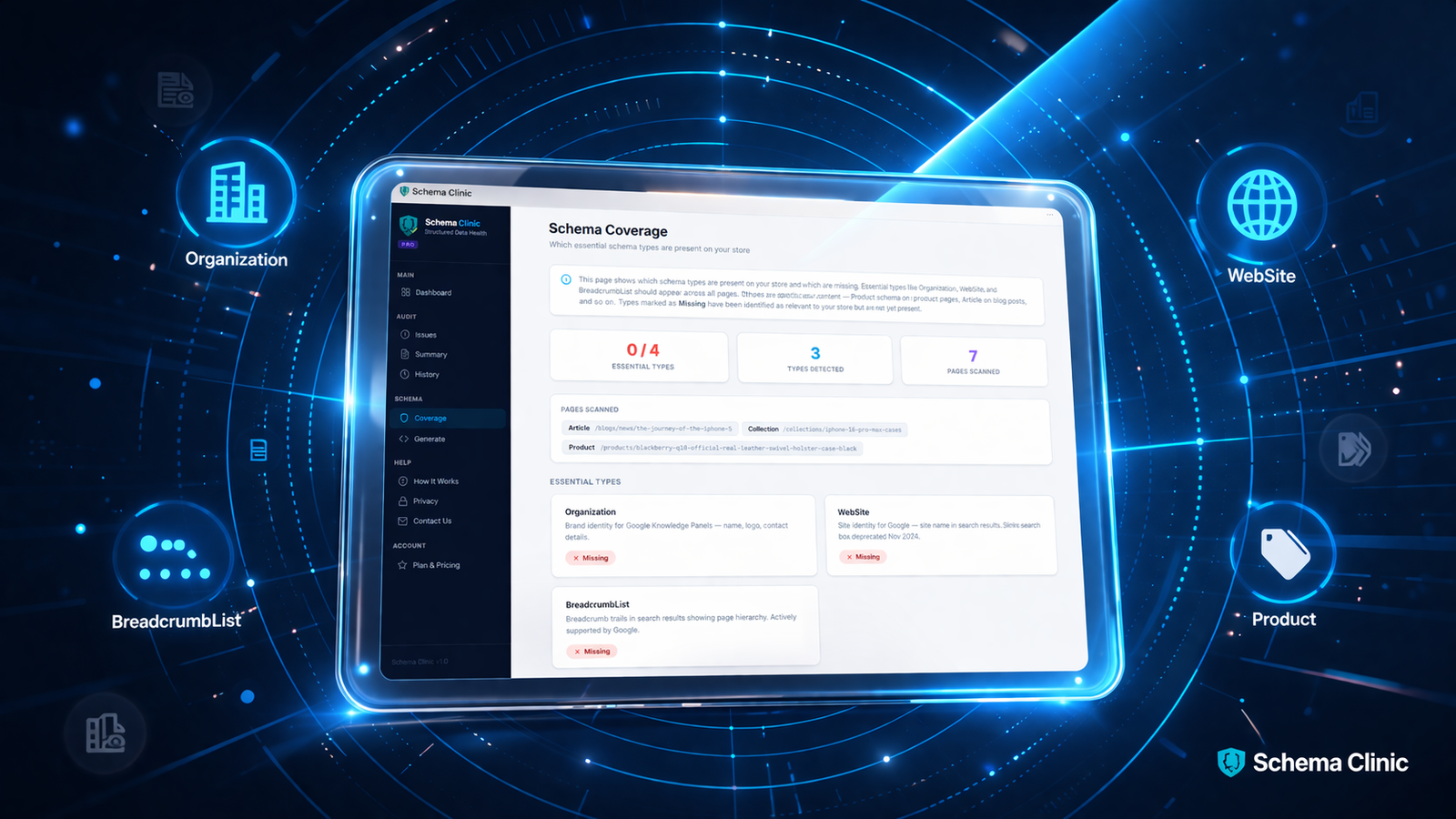
Coverage Dashboard
The coverage page shows every schema type your store should have, which ones are present, and which are missing. Essential types that are absent are flagged prominently. Each type shows its source (theme, app, or Schema Clinic generated), validation status, and Google's rich result eligibility.
Audit History
Every audit is saved with its full results. Track your health score over time, see which issues you've resolved, and verify that deployed schema is improving your coverage. History is available for the life of your subscription.